exportのTwitterイラスト検索結果。 2,850 件中 80ページ目

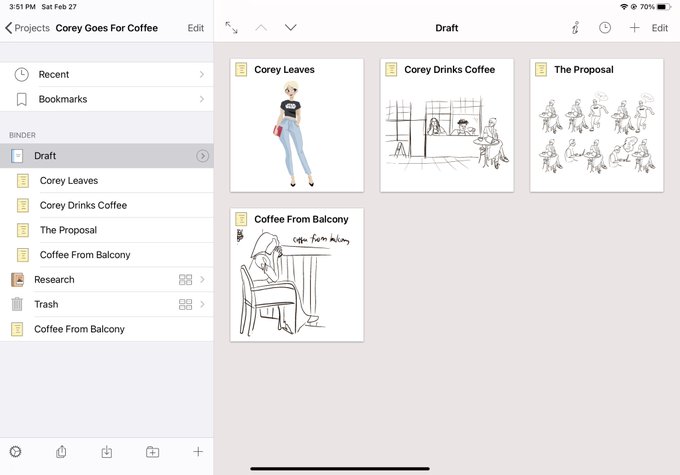
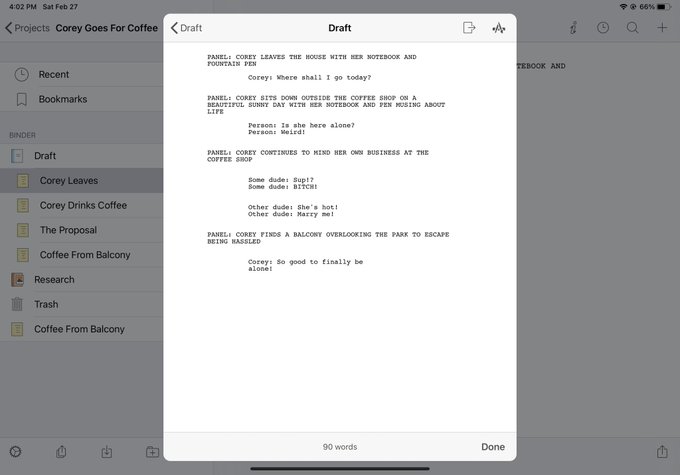
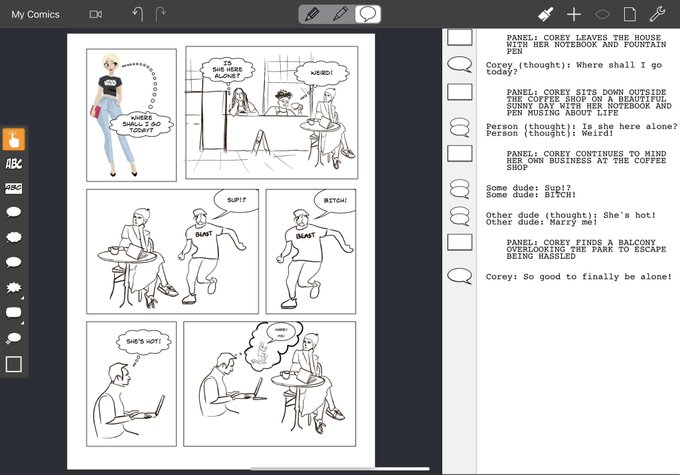

Ok, gave the process a trial run with the in class assignment.
Wrote a simple script in @ScrivenerApp, exported and copied as RTF.
Pasted into script view in @comicdrawapp and laid out the comic using preset panels. Made my images from class fit in the panels.


27 février 1657
Naissance à Pointe-St-Charles de Agathe de Saint-Père (Mme de Repentigny). Commerçante & exportatrice, elle est considérée comme la première femme d’affaires en Nouvelle-France, se spécialisant dans la confection d'étoffes & de vêtements issus de matériaux locaux


Inspired by @princessofcubes @hugueslaborde
Also tried to use the gradient tool and didn't realize until the end it that it wouldn't export properly...
#pixelart #animation #aseprite


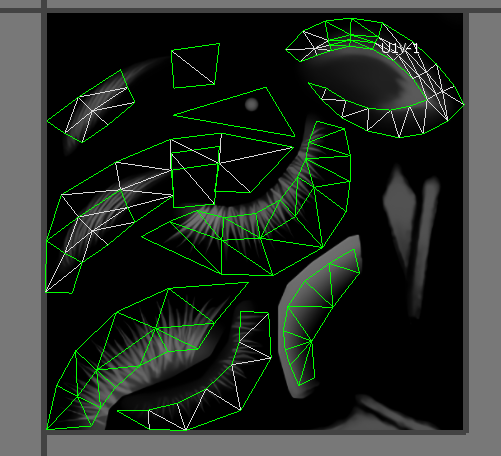
hey guys, i made another guide! this one explains how to export uvws in 3ds max so you can paint within the uvw lines. it also works on eyelashes and eyebrows! check it out here: https://t.co/Kjf7JQAFsN


+ the static image bc i dunno how to export gifs so the colors went wonky... lol


So.. I managed to make something decent for the first time in who knows how long, and the drawing tool just decided to not let me save the canvas or export it. This is all i managed to salvage.


226
I was gonna draw sth rq bc I'm exhausted but somehow I always muster enough back to draw Him. I edited and exported way too many times--
I feel like jikhaa gives off a vaguely unhinged kind of vibe... but people tend to overlook it, as they do a lot of his tendencies.


There's weird areas where it looks different in the exported version?? With like gaps and stuff?? This is a new software so idk what I'm doing but yeah its not supposed to look like that idk ¯\_(ツ)_/¯


while it was exporting it was lagging my computer so much that the preview moves like .2 frames a second. these was one of those frames.


Okay, I’m sleep. I need to get off my butt and download procreate so I can export files instead of using low res screenshots 😩


I haven't really learned jack shit about lighting in Blender yet, so pardon the bad raw export on the left. I have a good sense of lighting/color overall, so I can quickly layer effect my way to the final result I want.
Going to learn better lighting and get a shader finalized.


I've been testing some shaders and Blender compositor nodes.
The left is the raw export. The right is approximately 5 minutes of freehand photobashing/layer effect edits.


Some interesting Railway Series fun facts
-James is older than Toby
-Bill and Ben live in a shed at Brendam
-Duke's Grace is only 25 years old in Very Old Engines
-Cronk exports malt


Aight, we are LIVE in 10 mins (8:15PM, liveset starting shortly after). Just setting up stream now and gonna dip for a super-quick shower before we start. ❤️🍓
Sorry for the delay - the video took forever to export! But we're good to go :D
https://t.co/ymbJ4Re193


Sssssooooo murasaki is basically done kinda... uhhh do people want to see me get started on fischl or do the export treatment on murasaki?


So, after the lovely stream yesterday I continued this artwork and I finally finished it! Sadly Clip Studio Paint won't let me export it properly BUT !! Here's a cheeky screenshot of it! <3

