frameのTwitterイラスト検索結果。 10ページ目


🜲 🐺 WOLF PACK RISING 🐺 🜲
#PLAVE #EUNHO BIRTHDAY PHOTOFRAME EVENT
by @Nemunemuru09 !
Stand tall with the pack – for the Wolf King’s day has come. Together, we rise and howl.
🗓️ 17-30 May 2025
📍 @selfietimeid
🜲 Use hashtag #WolfPackRising and tag @Nemunemuru09!


Framepack 1frameを改造して複数の画像条件を入力できるようにしてみた
試しに作った、背景とキャラクターの参照画像を入力すると背景の一貫性を維持したまま画像を生成できるLoRAの生成結果
1枚目: 背景画像
2枚目: キャラクターの参照画像
3枚目: LoRA適用後の生成結果




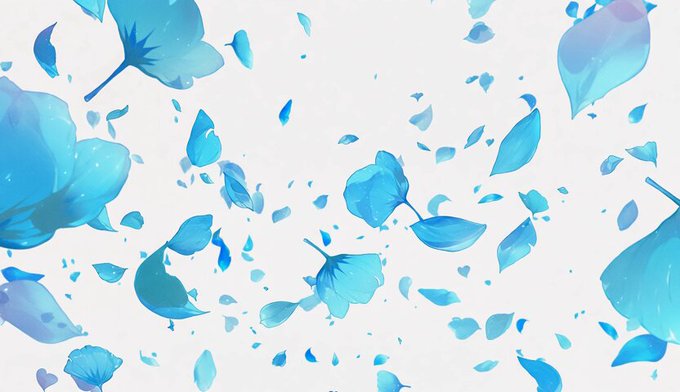

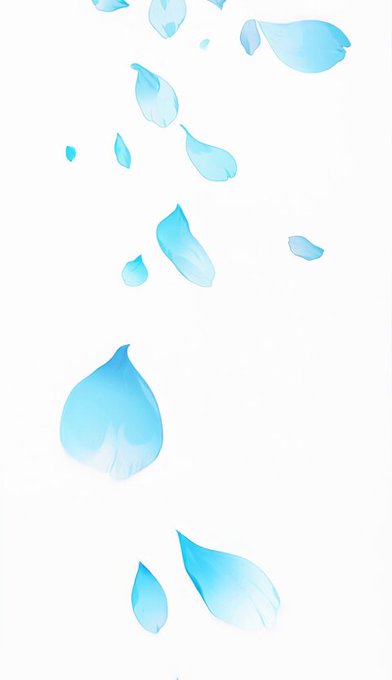
最近 FramePack で動画用の素材作るんだけど 、人間以外の動画を生成しようとすると思った通りに動かなすぎるという問題があって、
例えば、1枚目の花びらを動かそうとしても横で入れるとなんも変わらないので、3枚目みたいに縦にして "Falling down" とかにするといい感じになったりする(体感)




[#Dislyte / #DislyteFanart / #DislyteFrameContest] my entries for the frame contest! tried to do a different aesthetic for each!


FramePack one-frameを使ってレイヤー結合済みPNG画像から光効果だけ除去するLoRAを作ってみた
一枚目: FramePackによる生成画像
二枚目: FramePackに入力した元画像


🐾 PAWPPY EUNHO DAY 🐾
#EUNHO #PLAVE
PHOTO FRAME BIRTHDAY EVENT
by @bushunim x @ZycoZz
🗓 17 - 30 May '25
📍 @selfietimeid
Use #PawppyEunhoDay and tag @bushunim
Our precious little puppy, Do Eunho — your presence brings us comfort, joy, and endless love. Pawppy Eunho day! ❤️



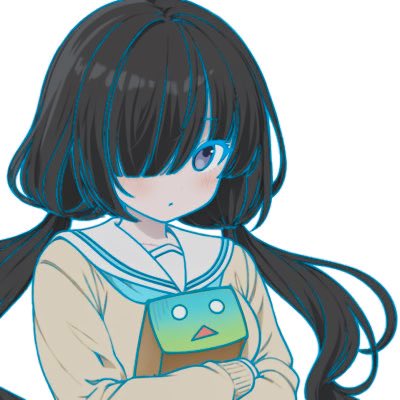
framePack one-frameを使ってレイヤー結合済みのイラストから線画を抽出するLoRAを学習してみた
圧倒的に精度が良い
一枚目: レイヤー結合済みのイラスト
二枚目: 学習したAIで抽出した線画(線画以外の部分は透過済み)
三枚目: 二枚目を一枚目に重ねて水色に塗った画像


eheheh 😼I'll try to finish it!! I LOVE fatal frame and this kind of style https://t.co/Zhm9UTT7ZL


@fuwamoco_en >Fuwamoco twins
>asking for Fatal frames art
Artist, you know what to do


Warframe 1999🍕Major Neci Rusalka
I’ve been waiting for her return forever. I love her so much!!!
#TennoCreate #Warframe #Warframefanart


Oh yeah! Drawing the frame (my first fully rendered one) was so SO much fun, would recommend!! https://t.co/UC01QLXEEO