multiplyのTwitterイラスト検索結果。 20ページ目


They are freaking multiplying!!! Look at his forg/cat paws!!! 👏😭
Neco Kim Nyaa!
🎨:@YasuOukaVT


@s0meone_u_know 💜🤍
«Light»
All is well. Your light is multiplying.
0.20$ETH
https://t.co/56W88bg1Du


Halo aku jawab lewat qrt yaa, kira2 urutan stepnya begini ya sebelum final touching
1. Sketch
2. Colored sketch, di sini aku bikin layer baru di atas layer sketch dengan mode layer multiply. Warnain secukupnya aja yg penting udh keliatan bentuk2 nya https://t.co/pObweFqRUl


i made this since i felt like doing the warm multiply thing isn't a good way to harmonize colors. i usually use gradient maps for my color correction, but i made this to show different ways of doing it.


DON'T ASK QUESTIONS IT'S OUR CHANGELING BARD
he stacked mad amounts of multiplyers he's intimidating


ปรกติเวลาวาดภาพนอกจากพวกเลเยอร์เพิ่มแสง/ความสว่าง/หรือเงา (เช่น Multiply) ไม่เคยใช้เลเยอร์อื่น จนช่วงนี้ลองศึกษาการแต่งภาพถ่ายเลยลองปรับ Saturation ดู รู้สึกว่างานมีมิติขึ้นเยอะเลย
(จริง ๆ แอบลงสีเงาผมเพิ่ม เลยดูมีมิติกว่าเดิมด้วย)
|


@JahrellDavid First draw your art; you’ll wanna color the water last, add a layer, color it blue and put it on multiply. Then you’ll wanna create some white lines on the water(+1 layer) and erase in between the line, lastly duplicate the layer and click alpha lock + color it a darker shade


Another year another Riliane!
One day late but happy birthday to my favourite person ever!!!
Made two versions and I couldn't decide if I liked the multiply layer ver better so here's both 🦋🍊💫 @NeyPhutapie
#CLIPSTUDIO #TheEvilliousChronicles


put all shading layers on multiply and used smudge tool but idk which i like better :/


Fanfic para la #SemanaSenHaku o #SenHakuWeek 2022!
Tema: Vida doméstica!
Ao3: https://t.co/2fMBZXghEt
FanFiction: https://t.co/KMlE2OVMii
Fanart by Multiply ❤
@SenhakuW
#dcstプラス #DrSTONE #dcst #SenHaku #KohaSen #千コハ #SenKoha #SenkuxKohaku #Senku #Kohaku

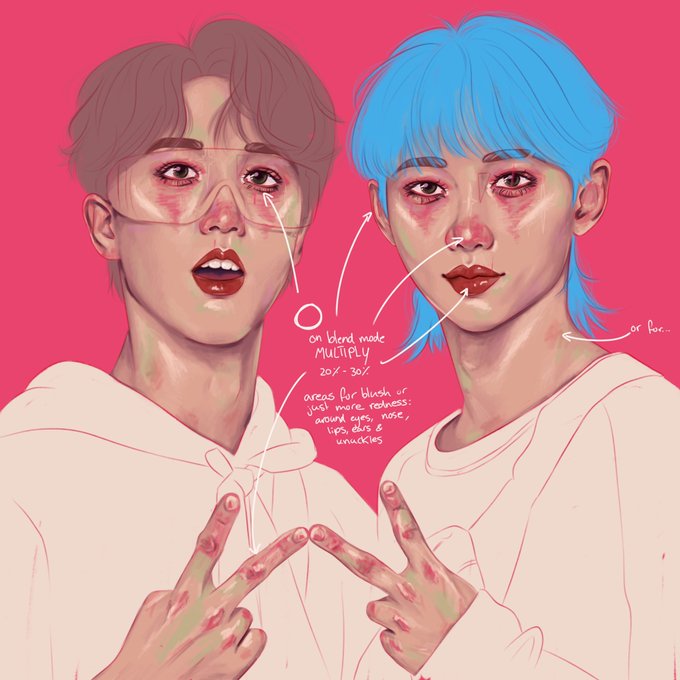


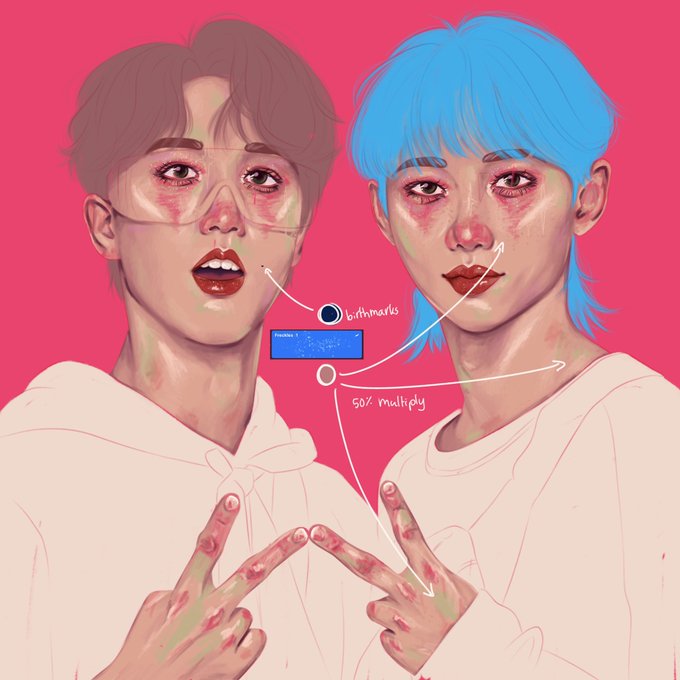


@HaleyJean_Tho Clip Studio Pro ($7-Dual Plan)
I use both my S6 Lite tablet & my family HP Windows PC
Most of my sketching is with the Dry Ink brush on 'multiply'; I sketch in bright colors.
I use all the preset round & air spay brushes with the gouache brush for render & chalk for line art


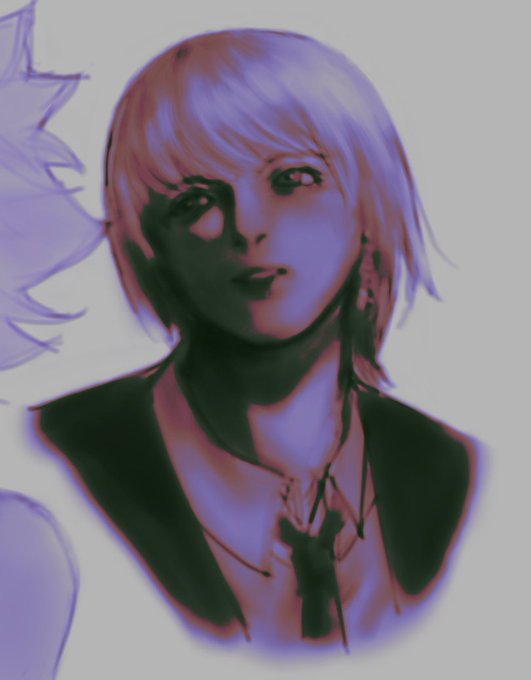

test gradients (the last have a reddish color because I added multiply layer and put a reddish color underneath the gradient)