OverlayのTwitterイラスト検索結果。 359ページ目


I used to play Subeta a lot years ago (I barely log on now). I drew my own custom overlay for my main pet and I'm still so happy with how he turned out! One of the coolest dragons I've ever drawn 😆


this is the finished wip of bbh! pink overlay makes everything look better
[@SaintsofGames #bbhfanart #badboyhalofanart]


🤗COMISIONES 2020
*Hilo con las comisiones realizadas para streamers en este hermoso año de quedarse en casita. Gracias a todos por vuestra confianza y apoyo (:
✅ Animaciones 2D y Motion Graphics
✅ Emotes, emblemas, icons
✅ Ilustraciones
✅ Overlays
✅ Edits


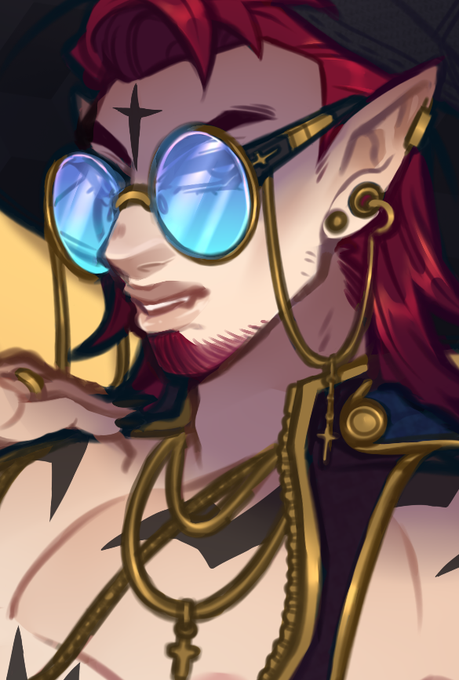
Jettison "Tiny" Hawk, the Assimar/Kalashtar Echo Knight!
--
I did two versions because I liked it both with plain shading/transparent and a bg/overlay
--




Get cartoon style custom #mascot #logo for your new #YouTube #twitch channel or #business
Order Here – https://t.co/zV56fmUZ2S
#Twitch #SupportSmallStreamers #Twitchkittens #twitchstreamer #StreamerNetwork #emotes #twitchaffiliate #twitchtv #overlay @BlazedRTs
@rtsmallstreams

Get sports style custom #mascot #logo for your new #YouTube #twitch channel or #business
Order Here – https://t.co/Y5wyYUQmk8
#Twitch #SupportSmallStreamers #Twitchkittens #twitchstreamer #StreamerNetwork #emotes #twitchaffiliate #twitchtv #overlay @BlazedRTs
@rtsmallstreams


There is a horribly unnecessary amount of overlay layers on this, but it was worth it 😂❤️ Anyway, little gift for @MrWoofless :D


Twitch may be on hold for awhile, but when we come back its gonna look so much more professional. New Overlays, badges, emotes and more. I put in an offer for a house today, not holding my breath, but Im really trying.


Oh and here's that promo image without the text
I'm dropping the painted overlay shadow thing I had been doing for a while there
I feel like it took too long for what it added (which wasn't much other than adding to filesize and lowering clarity)


Flat textures are on good way :D
#twitch #twitchoverlay #handpainttexture #2dtexture #darkacademia #wip #skull #candle #ArtistOnTwitter


"Akimi"
Half Body comm I did for @Aki_FGC of their Vtuber avatar for a stream overlay! I really like the simple and purple theme of the clothing and accessories💜 please go check them out!
#ArtistsOnTwitter #digitalart #digitalillustration #drawing #commission #artcommission


It’s after all of that is the round of final lighting above all the layers. I use a soft brush and another multiply layer to buff up shadows, overlay for more color moods, screen/add for softer light, and I soften the bg to make it less sharp against the foreground.
4/


On top of the difference layer I do an overlay layer and I shade general idea of the light source, shading the characters/foreground/background independently. I use multiply for shadows and screen for highlights, but the highlights are mostly for hair and bounced light.
3/


Meta Overlay
Who's side are you on?
#DBLegends #Dragonball #DragonballLegends #Vegito #Gohan #GraphicDesign