CTRLのTwitterイラスト検索結果。 48ページ目


@tatami_DAZE im winder. i make custom 3D models and have a habit of pressing ctrl+S every 5 minutes




I cheated and ctrl v'd
new header though, I like my clouds
#furry #furryart #furryartist #art


Always listen during the History classes folks. Your whole life is preparing you to play Crusader Kings!
We are the ultimate Middle Ages History test 📚
► From CTRL+ALT+DEL (@TimCAD): https://t.co/GHRtM07iNL

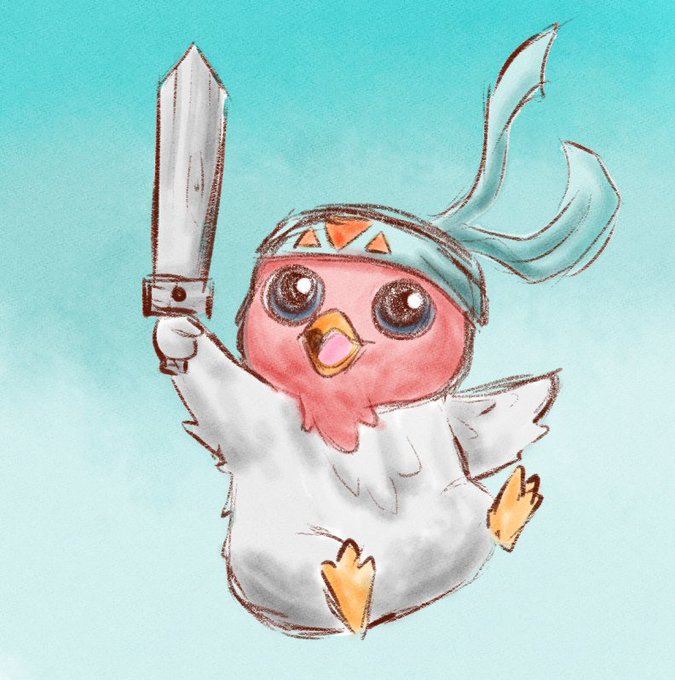
#LoLtubro
Dia 22 - Sua Pequena Lenda favorita
ctrl+1 no aram.. xD
#lol #artoflegends #leagueoflegendsfanart #tft #inktober #sketch


All writing and no effort ends up with something like CTRL+ALT+DEL:
WORDSWORDSWORDSWORDSWORDSWORDS *bad punchline* with copypasted faces for the last decade and a half or so.


GibGob!😁👺
I got a pen brush today so I tried some traditional stuff for the first time in a long time and I LOVE how permanent and imperfect it is😄
I think this will help me stop being so much of a perfectionist with my ctrl+z muscle memory😂


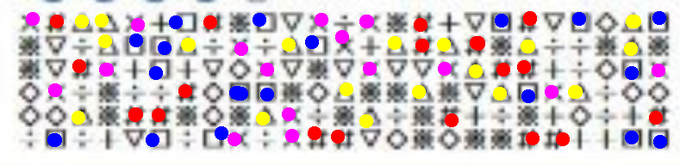
#ef1g 記号を数える問題を速く解く方法を模索中。テキストだったら Ctrl + F で即分かるけど多分画像だろうな。
ペイントソフトで数えれば後半速くなる?でもクリックしている時間がもったいない。
2行ずつ目を通していく方法で行こう。
OfferBoxで一度受けられるみたい。
https://t.co/2z5CmLFu4j


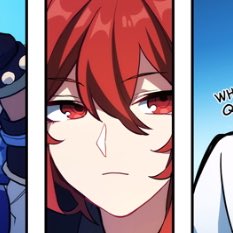


Have you ever mixed digital art and traditional art in your brain? When I mess up in traditional art, instead of erasing it, I ctrl z it. 🥲 #XPPen #digitalart #ctrlz


勝手に作らせてもらった
魔法学校シリーズ
その4
これはとても作りたかった!!
ctrlのみなさん((o(。>ω<。)o))
ちょびちゃん(@C_Tyobi_C)
白雪ちゃん(@Touka_Remi)
りしえるちゃん(@rishel_77)
レイクちゃん(@Lake0710)


Ahorita me puse a probar el photoshop nuevo y aunque no me acostumbro todavía a que me cambio de letra todos los accesos rápidos hasta el ctrl+z, se siente suave todo u,u una hadita loto


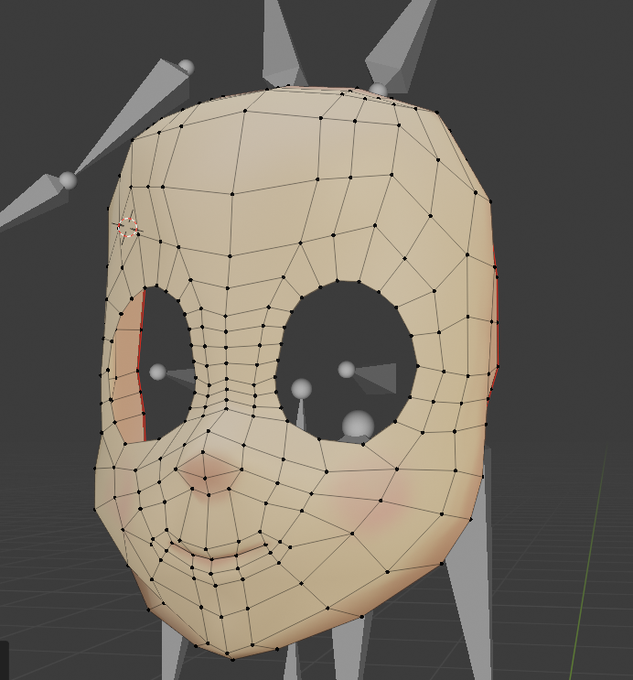
The next thing is hiding/unhiding parts of a mesh. Let's say I want to focus on the face. I'd use CTRL+L after selecting a bit of the face then CTRL+I to invert the selection. Then hit the H-key to hide the rest of the model. Now I only see the face!
Alt+H to unhide everything.


Wait 15日目
パソコン妹から取り戻した!!!
アナログからデジタルになると間違えた時に消しゴムを探してしまうし、デジタルからアナログになるとctrl+zをもとめてしまうんだなぁ
でもやっぱりデジタルで書いた会長はおめめキラキラに出来るからすき
#まつのこ日記


I turn off the flats as they interfere with how I paint the lighting. BUT the flats serve as selections (by holding ctrl + clicking on layer) which I could use to define edges without the lighting going all over the place as I keep the lighting in just one layer.