ShaderのTwitterイラスト検索結果。 134ページ目


Some have asked me about the outlines in my recent tweets, see thread.
The black outlines is usually known as an "edge detection" shader, applied to the entire screen like post processing. This tutorial is a good one that goes through the actual shader :
https://t.co/vbkevgFoKO


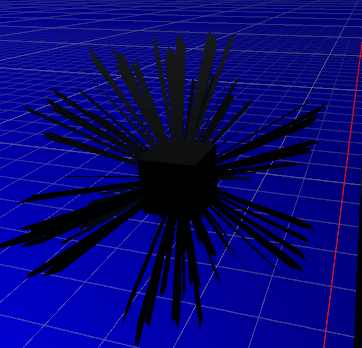
(Progress 8) Working on a #2d #raytrace lighting engine. Dynamic (no bounce) lights were surprisingly easy! Strangely, shadows look like giant pillars. Need to figure out how to light the walls #gamedev #indiedev #indiegame #IndieGameDev #pixelart #madewithunity #unity2d #shader


Experimenting with a toony shader style.
With @Xywolf being the guinea, uh, wolf?


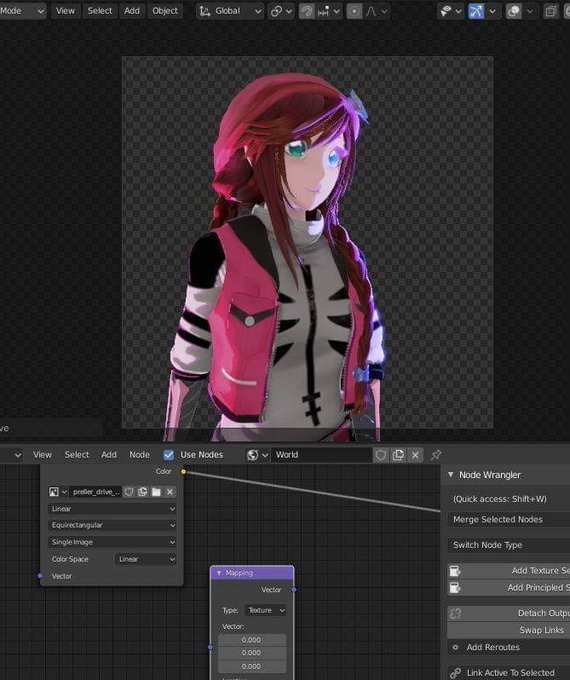


My OC, Leila in progress using my own toon shader
#b3d #bnpr #eevee #blender3d


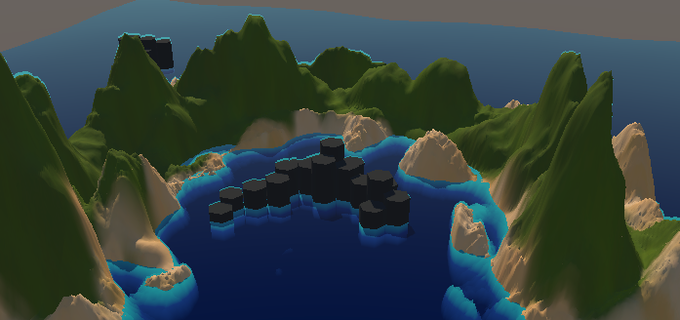
So was porting the water shader to LWRP and found out that if you take the depth blend (with scene depth and stuff), if you offset the mesh (to make waves for example), the depth blend goes with the mesh, it just doesnt care about the rest, so it moves with the mesh #shadergraph




[Unity NPR test(戌神ころね)]
Left is Unity's default shader.
Right is after edit shader:
-phong tessellation to smooth polygon
-Inverted Hull outline(smooth normal preferred)
-low threshold & intensity, wide blur bloom
-TAA(blurry is a plus)
-..(word limit)


More #shader coded #patterns for the next @pixelspiritdeck extension pack


The new #Shadertoy of the Week is 'The Amazing World of Gumball' by emmasteimann : https://t.co/tJ6pAwJxGj


these details and texturing are just temporary, still working on the shaders. soo~ here's the ZB and SP viewport screens


I have been in a massive artblock thanks to college. Here. Have a simple shader reference of Roosevelt for my upcoming cartoon.